

What Are Text Agents?
Text agents extend Callers’ AI capabilities beyond voice calls into text-based messaging channels. A text agent engages contacts through SMS and messaging platforms such as WhatsApp - delivering the same intelligent, script-driven conversations your voice agents provide, but over text. Text agents are ideal for scenarios where contacts prefer asynchronous communication, where regulations limit voice outreach, or where you want to complement your calling strategy with a multi-channel approach.Key Benefits
Multi-Channel Reach
Engage contacts on the channels they prefer - SMS, WhatsApp, or other messaging platforms - alongside your voice agents.
Asynchronous Conversations
Contacts can reply on their own schedule. Your AI agent picks up the conversation exactly where it left off.
Script-Driven Messaging
Use the same agent script builder you already know. Define conversation flows, branching logic, and goals for text-based interactions.
Unified Analytics
Track text agent performance alongside voice agents in a single dashboard with shared reporting and insights.
How Text Agents Work
- Create an Agent - Click the text icon on the toggle when starting a new agent from the workflow tab.
- Build Your Script - Design the conversation flow using the script builder. Each step defines what the AI agent sends and how it responds to contact replies.
- Connect a Channel - Link a messaging provider (Twilio, Telnyx, or WhatsApp) from the channels section on the top right to send and receive messages.
- Upload Contacts - Add your contact list, just like a voice agent.
- Launch - Start the agent. The AI agent initiates conversations and handles replies automatically.
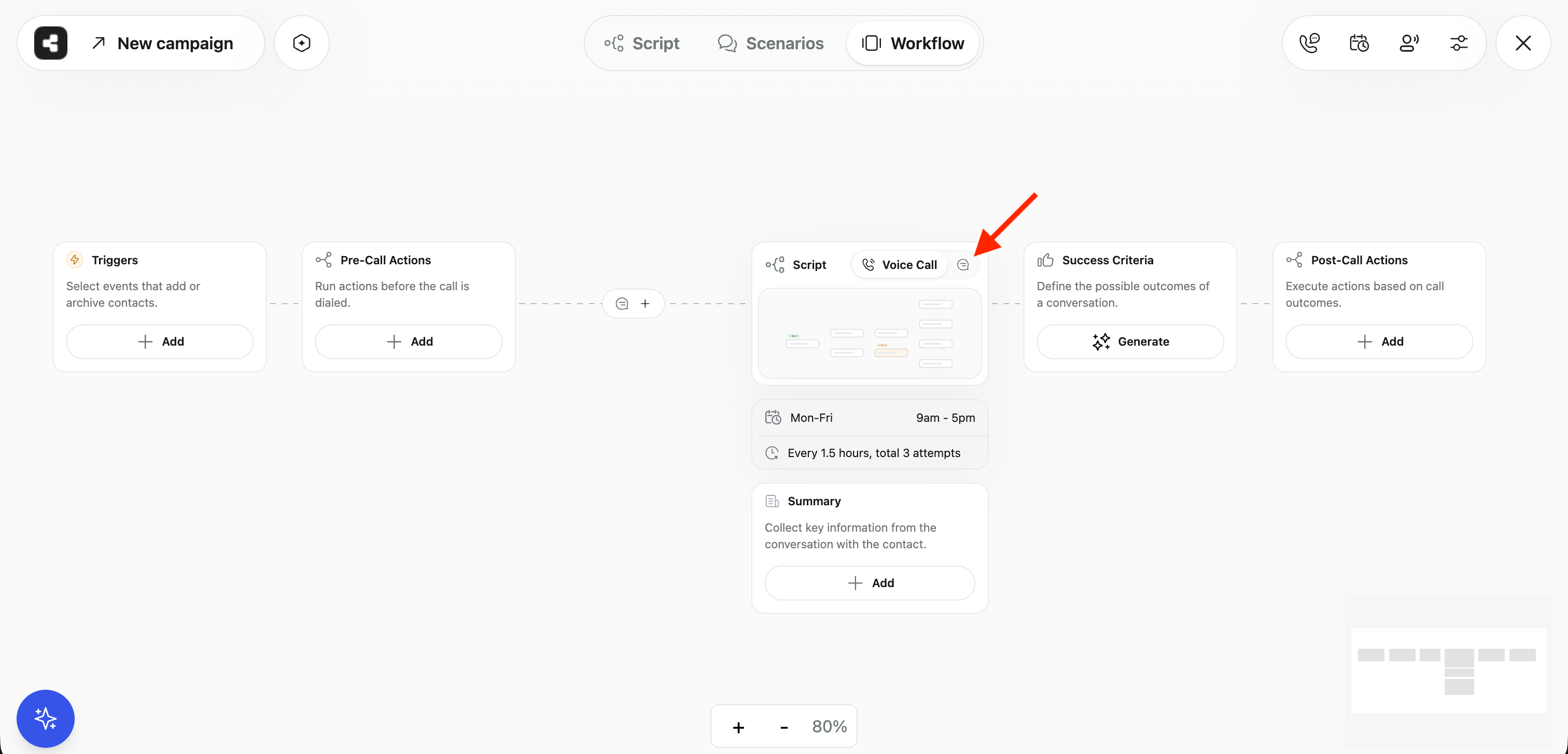
Text Agent Workflow
Supported Channels
Twilio SMS
Send and receive SMS messages through your Twilio account.
Telnyx SMS
Leverage Telnyx messaging for high-throughput SMS delivery.
Reach contacts on the world’s most popular messaging platform.

Supported Channels
Getting Started
1
Connect Your Provider
Connect your messaging provider through the App Center. Set up Twilio, Telnyx, or WhatsApp to enable text messaging.
2
Choose Your Provider
Select your connected messaging provider from the channels section on the top right of your agent.
3
Configure Agent Settings
Set up message timing and availability in Text Agent Setup.
4
Upload Contacts and Launch
Add your contact list and start the agent. The AI handles the rest.
Text agents share the same contact management, analytics, and webhook infrastructure as voice agents. If you are already using Callers for voice, getting started with text is seamless.