

- Account Do Not Call list: your own list of blocked numbers, shared by every agent in the account.
- US registry checks: compare numbers with the US Federal Do Not Call registry, and optionally state lists, before calling.
The account Do Not Call list
Go to Contacts and open the Do Not Call List tab. The tab is available to admins. The list shows each number with its Date Added and Reason Added:
Use Search DNC List to find a number. Hover over a row to remove it.
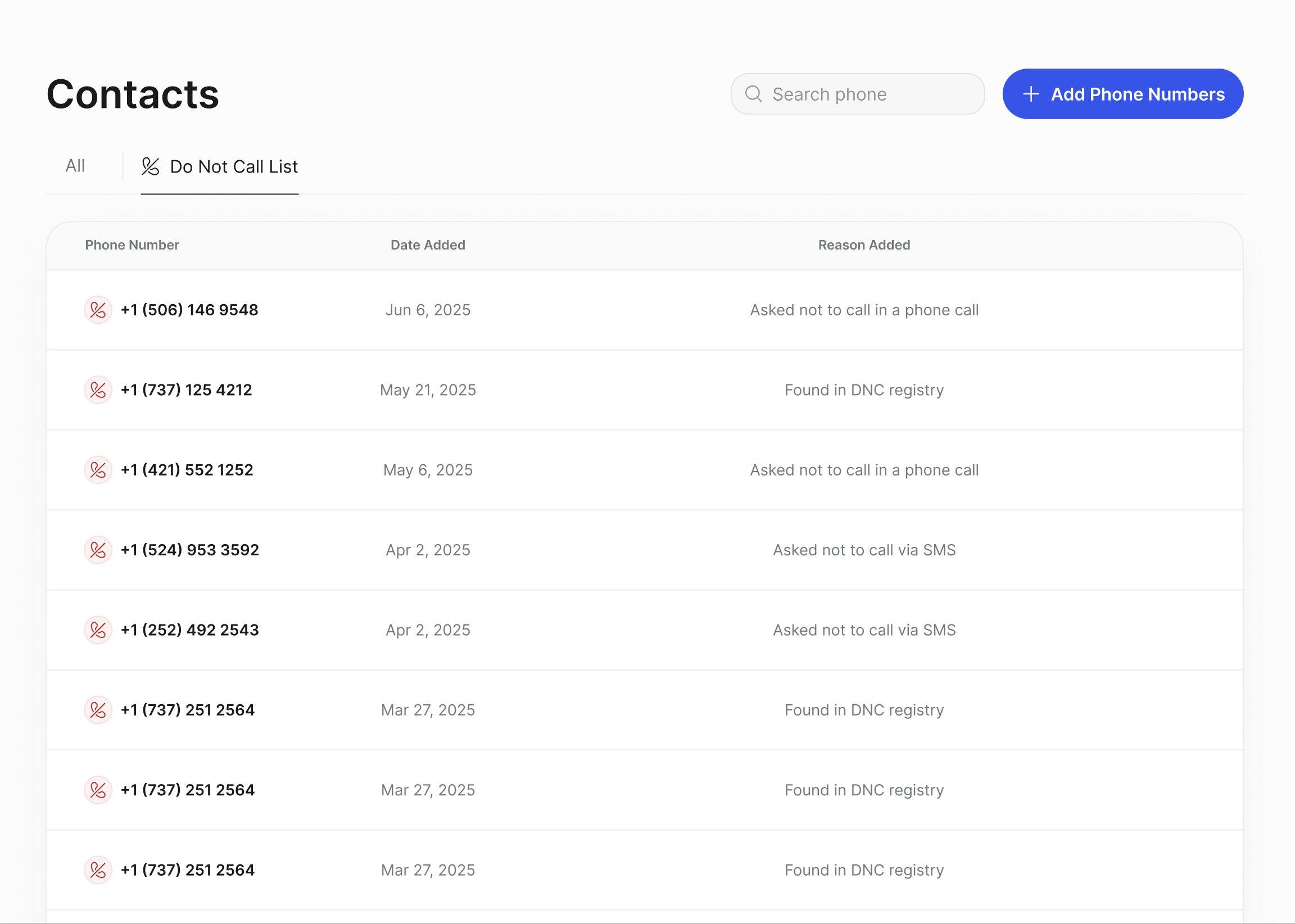
The Do Not Call List tab on the Contacts page, with the Add Phone Numbers button.
Add numbers
Click Add Phone Numbers, then choose a tab:- Add Manually
- Import File
Paste or type phone numbers in international format (for example
+15551234567) and click Done.Turn on Do Not Call checks for an agent
Open the agent, click Edit, and open Technical Settings.What happens to a blocked number
Numbers are checked at two points:- At import. A contact whose number is on the account list (when the agent uses it) or on the registry (when the agent checks it) is rejected. It appears as a failed row in Import History, with the reason.
- Before each call. The account list is checked first, then the registry. A match stops the call. The call is marked Do not call and so is the contact, and it’s not dialed again.
Requests during a call
When a contact clearly asks not to be called again (“take me off your list”, “never call me again”), the call outcome is Do not call and the contact isn’t called again by that agent. If Update Account Do Not Call (DNC) List Automatically is on, the number is also added to the account list with the reason Asked not to call in a phone call. See Statuses and outcomes.Text message opt-outs
For SMS through Twilio, Callers follows Twilio’s opt-out handling. When a contact replies with an opt-out keyword such as STOP, the conversation and contact are marked Unsubscribed and the agent stops messaging them. An opt-in keyword such as START subscribes them again. The keywords themselves are set in your Twilio account. Telnyx handles opt-out keywords on its own numbers; see Telnyx SMS. The agent also marks a conversation Unsubscribed when the contact asks to stop in their own words. Unsubscribing from text messages doesn’t add the number to the Do Not Call list. If a contact who opts out of texts should also not be called, add their number to the list.FAQ
Do test calls check the registry?
Do test calls check the registry?
No. Test calls skip the federal and state registry checks.
I removed a number from the list. Will the agent call it again?
I removed a number from the list. Will the agent call it again?
Only if the contact is still eligible. A contact already marked Do not call isn’t dialed again. Use Update Status on the agent to change it if you have consent to call.
Does the registry check work for numbers outside the US?
Does the registry check work for numbers outside the US?
No. The registry checks cover US federal and state lists only. Use the account Do Not Call list for other countries.
Related
Statuses and outcomes
How Do not call outcomes are decided.
Add contacts
Import contacts and review failed rows.
Guardrails
Keep agents within your policies during conversations.
Security and privacy
Data retention and access controls.