

How Callers works
Contacts arrive by CSV, API, triggers, or inbound calls and messages; the agent follows its script, handles off-script questions with scenarios and the knowledge base, runs actions in real time, and every conversation ends classified against your success criteria with key questions answered and the result sent to your webhooks or CRM.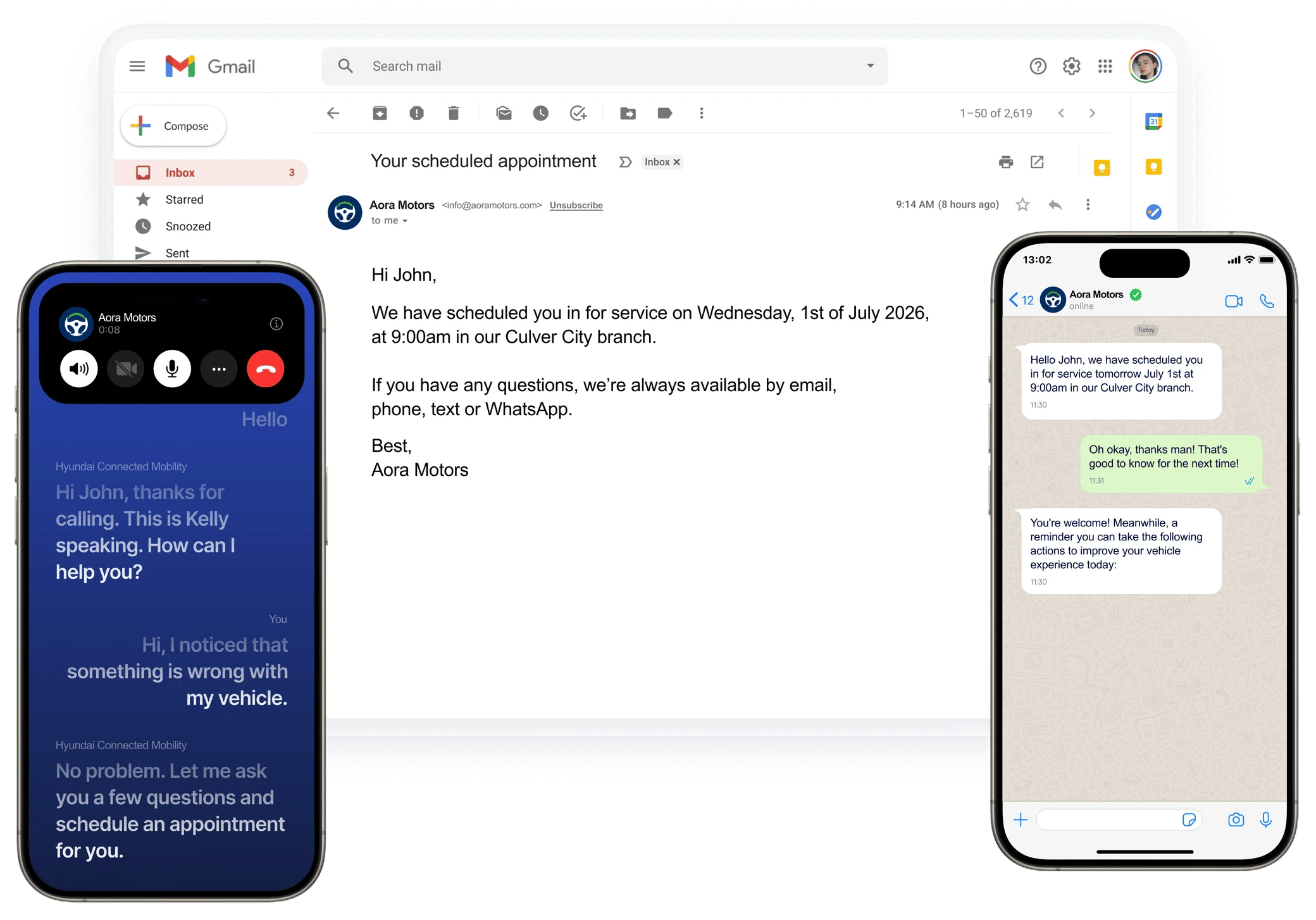
One agent, one conversation, on the channel each customer prefers: email, a phone call, or WhatsApp.
Example outbound voice call: an AI agent running a customer survey.
Start here
Quickstart
Build, test, and launch your first outbound voice agent in about 10 minutes.
Core concepts
Agents, scripts, variables, actions, outcomes, and how they fit together.
Use cases
Proven agent patterns for outbound, inbound, web, text, and email.
Multichannel agents
Run one agent across voice, text, email, and the web.
Studio Chat
Describe what you need and let the AI assistant build or change your agent.
Explore the docs
Build your agent
Scripts, variables, scenarios, actions, guardrails.
Voice
Voices, pacing, transfers, voicemail, recording.
Text
SMS and WhatsApp conversations.
Send and reply from your mailboxes.
Web widget
Voice and chat on your website.
Integrations
CRM, calendar, spreadsheets, telephony.
Web SDK
Embed conversations in your web app.
API Reference
Agents, contacts, calls, and results.
Enterprise
SSO, MFA, white label, your own telephony.
Troubleshooting
Dialing, voice quality, webhooks, channels.
Need help?
Ask the AI Assistant inside the agent editor. Choose Get help to get answers from the help docs without changing your agent. Or email .Related
FAQ
Answers to common questions about setup, quality, numbers, and data.
Glossary
Every Callers term in one place.
Changelog
What’s new in Callers.
Troubleshooting
Fix the most common problems yourself.