

What Is Pre-Call Chat?
Pre-Call Chat is an optional step you can add to any outgoing voice campaign. Instead of dialing a contact cold, Callers first sends them an AI-powered SMS or WhatsApp message asking if they’d like to receive your call. Contacts who say yes are far more likely to pick up - turning a reluctant ring into a warm, expected conversation.Pre-Call Chat requires a messaging channel (SMS or WhatsApp) to be connected to your account. See Twilio SMS, Telnyx SMS, or WhatsApp to get started.
Why Use It?
Higher Answer Rates
Contacts who’ve already agreed to a call are significantly more likely to pick up when you dial them.
Fewer Wasted Attempts
Skip contacts who aren’t available or interested right now, saving dial attempts for people who actually want to talk.
Better Contact Experience
Asking permission before calling feels respectful and professional, which sets a positive tone before the conversation even starts.
Flexible Outcomes
Choose what happens when contacts don’t reply or decline - proceed anyway, reschedule, or stop.
How It Works
1
A message is sent to the contact
When your campaign is active, Callers sends your configured opening message to the contact via SMS or WhatsApp before any call is attempted.
2
The contact replies
The AI reads their response and determines whether they’ve agreed to the call, declined, or haven’t replied yet.
3
The campaign acts on the outcome
Based on the reply (or lack of one), the system either places the voice call, reschedules it for a working window, or moves on - according to your configuration.
Configuration
Pre-Call Chat is configured from the Workflow tab of your campaign. Click the Pre-Call Chat node in the workflow diagram to open the settings panel.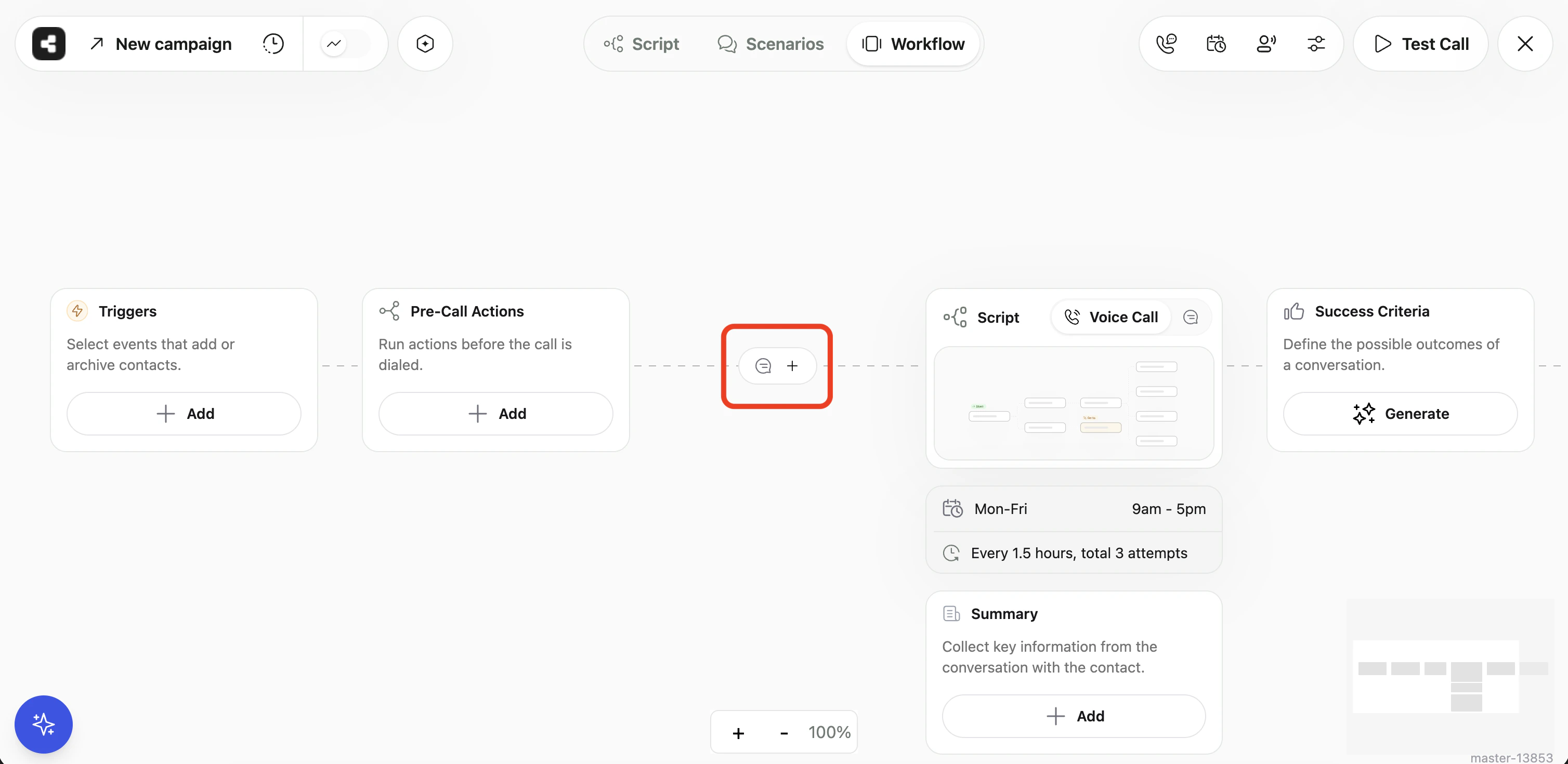
Pre-Call Chat node in the campaign workflow
Initial Message
Write the message that will be sent to contacts before dialing. This is your first touchpoint, so keep it concise and clear. You can personalize it with campaign variables and use the built-in AI rephrase tool to refine your wording.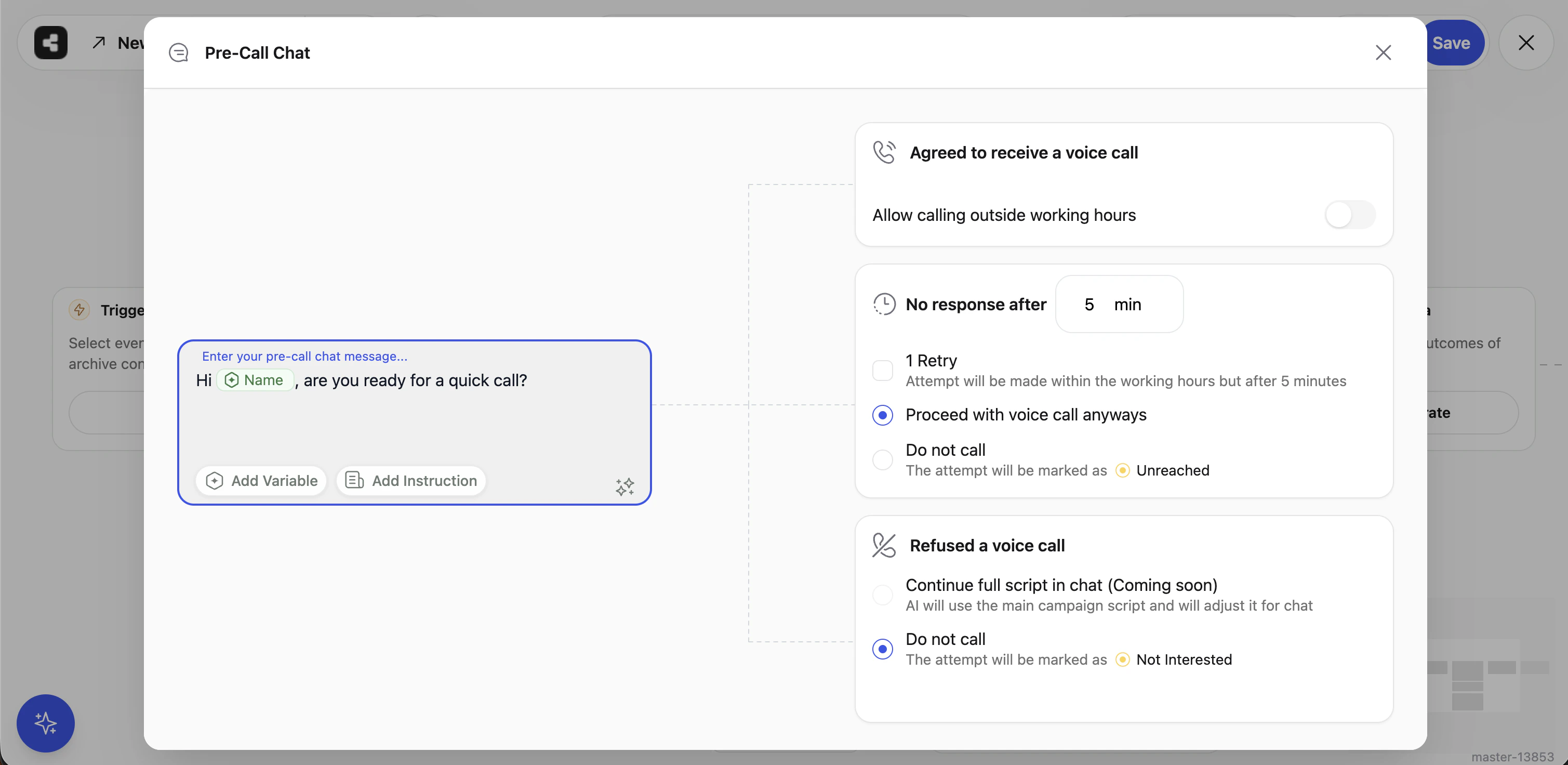
Pre-Call Chat settings panel
When the Contact Agrees
If the contact replies and the AI determines they’ve approved the call, Callers will proceed to dial them. One setting controls the timing: Allow calling outside working hoursWhen the Contact Doesn’t Reply
Control what happens if a contact receives your message but never responds. Response timeout Set how long (in minutes) Callers waits for a reply before treating it as no response. The minimum is 1 minute; the maximum is 1,440 minutes (24 hours). Send a follow-up nudge Enable this to send one additional follow-up message after the timeout expires before giving up. This gives unresponsive contacts a second chance to confirm. No-response actionWhen the Contact Declines
If the contact’s reply indicates they don’t want a call, you can choose what happens next.Contact Statuses After Pre-Call Chat
After the pre-call chat concludes, each contact receives one of the following outcomes: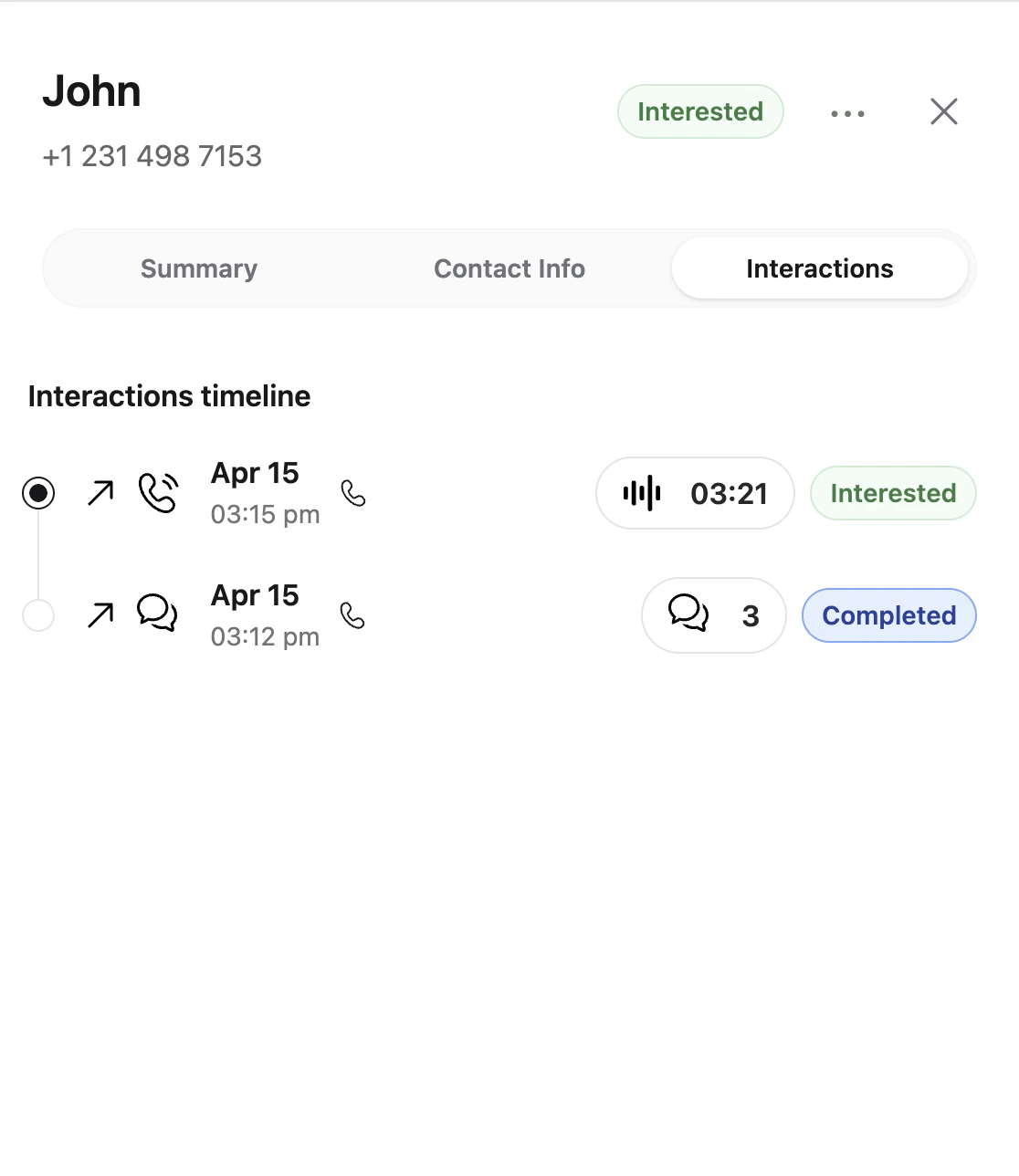
Contact interactions timeline showing a pre-call chat followed by a voice call
Frequently Asked Questions
Does Pre-Call Chat replace my campaign script?
Does Pre-Call Chat replace my campaign script?
No. Pre-Call Chat only controls the outreach message sent before the call. Your full campaign script runs as normal once the voice call connects.
Can I use Pre-Call Chat with any messaging channel?
Can I use Pre-Call Chat with any messaging channel?
Yes - SMS (via Twilio or Telnyx) and WhatsApp are both supported. Make sure your messaging channel is connected before enabling Pre-Call Chat.
What if the contact replies with something ambiguous?
What if the contact replies with something ambiguous?
Callers uses an AI analysis step to interpret the contact’s reply. It determines the most likely intent (approved, declined, or unclear) along with a confidence score. Ambiguous replies that can’t be confidently classified are treated as no-response, and the configured no-response action applies.
Will Pre-Call Chat affect my campaign analytics?
Will Pre-Call Chat affect my campaign analytics?
Pre-Call Chat activity (messages sent, replies received, outcomes) is tracked alongside your standard campaign analytics. Contact statuses update in real time as chats conclude.
Can I use campaign variables in the initial message?
Can I use campaign variables in the initial message?
Yes. Any variable defined under Campaign Variables is available to use in the initial message.