

Why actions matter
Actions are the automation layer of your campaigns. They let you gather data before a dial, react inside a live script, or follow up the moment a call ends. When they are planned per stage you can route leads faster, keep data in sync, and reduce manual work for your team.All actions are sent from the following IP addresses:If your systems are behind a firewall, whitelist these IP addresses to ensure action requests are delivered.
Action entry points
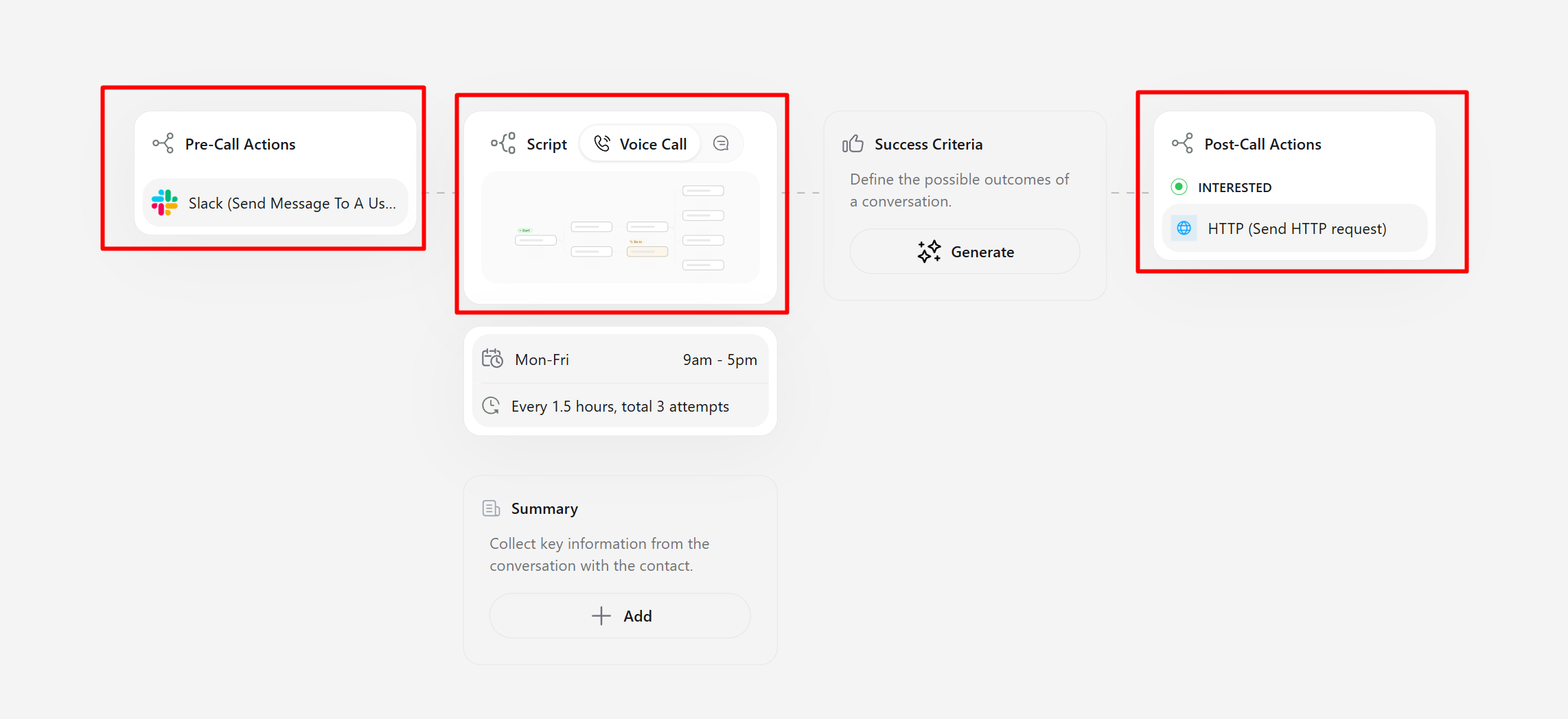
Review which actions will run before the dial or after the call
Choosing the right action for the job
- Pre-call actions handle everything that must happen before the agent says hello. Use them to pull CRM context, score the lead, or populate variables that will be reused in the script.
- In-script actions are tied to a specific script step. They can read transcript variables—values extracted on the fly from the dialogue—making them ideal for checking availability, validating information, or fetching quotes mid-conversation. Learn how to configure these steps in the Campaign Actions article.
- Post-call actions run right after the call is analyzed. They can branch on call status (e.g., only run for
Interestedleads) and can leverage post-call analytics such as summaries or sentiment. When you need full control over the payload sent after analysis, see the Advanced Webhook guide.
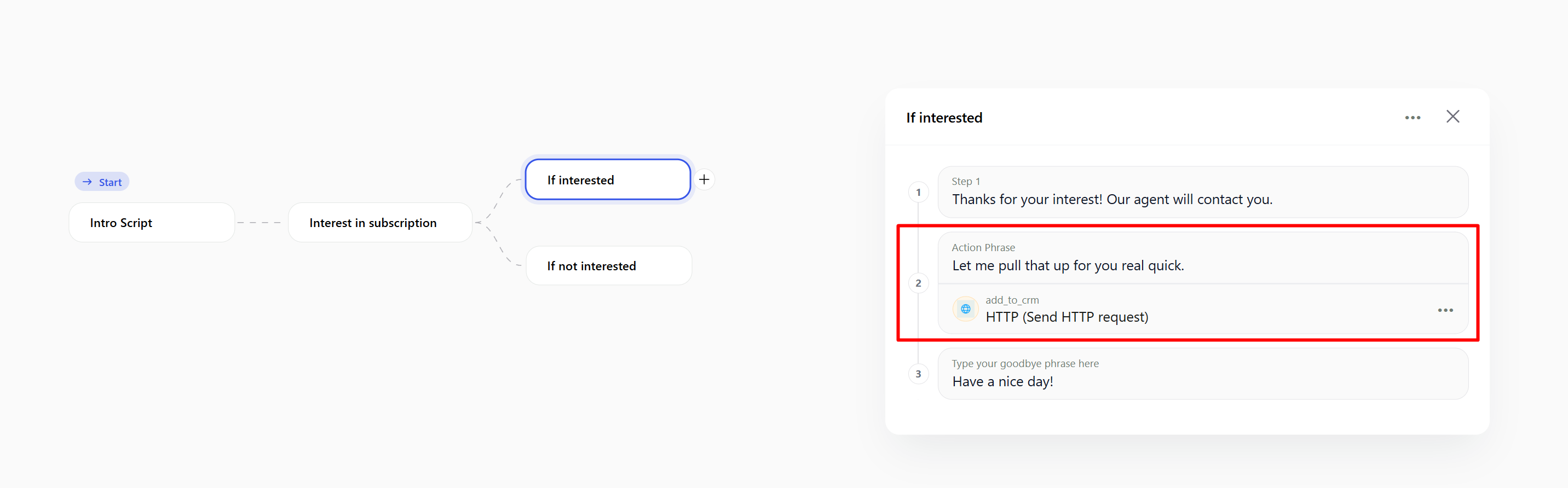
Trigger an action from any script block while transcript data is fresh
Working with statuses and conditions
Filter post-call actions by any system status (Interested, Call Later, DNC, and more) to ensure downstream systems only receive relevant activity. Combine status filters with key-question answers—for example, send a pricing email only when the lead was marked Interested and provided a valid budget. Use the Campaign Variables guide to learn how contact and transcript variables are passed into actions, and see the Key Questions guide for the post-call answers you can reuse.Integration options
There are two ways to connect an action:- Direct HTTP request / webhook – use when you have a bespoke endpoint and want full control over headers and payloads.
- Pre-built app integration – choose from Callers’ library of verified apps to skip manual API work.
App Center categories
Before using an app-based action you must connect the app inside the App Center. Authentication typically involves logging in and / or pasting a token issued by the provider. Once connected, the app becomes available inside all stages. The library currently spans:- Telephony & Communication
- Sales & CRM
- Marketing Automation
- Productivity & Collaboration
- E Commerce & Payments
- Helpdesk & Customer Support
- Scheduling & Calendar
- HR & Recruitment
- Analytics & Reporting
- AI
- Social Media
- Workflow Automation
- Core Tools
- Others
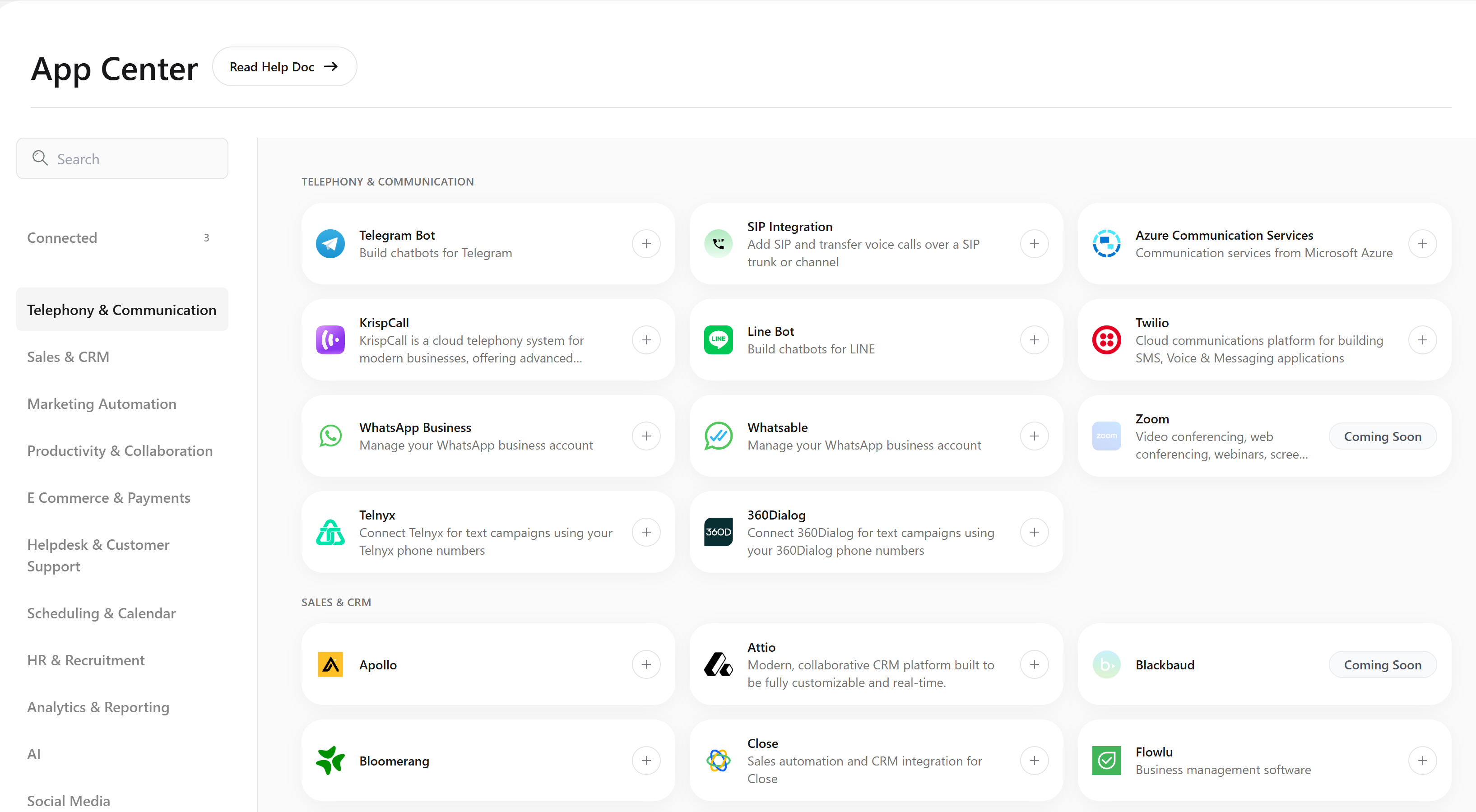
Connect apps once in the App Center to unlock stage-specific actions
Putting it all together
- Plan the journey – decide what must happen before, during, and after the call. Map data requirements per stage.
- Connect apps – authorize every tool you plan to use inside the App Center so their actions appear in the builder.
- Configure conditions – attach pre-call actions to the dialing workflow, drop in-script actions on the exact script steps, and add post-call rules filtered by status or key-question output.
- Test end-to-end – run rehearsal calls to confirm variables resolve correctly and that only the intended actions fire.