

SIP Integration Overview
SIP (Session Initiation Protocol) integration allows you to connect your existing telephony infrastructure with Callers. You can use SIP for both incoming and outgoing calls:- Incoming Calls: Receive calls from your SIP provider to Callers
- Outgoing Calls: Make calls from Callers through your SIP provider
- Bidirectional: Use the same numbers for both incoming and outgoing calls
Your SIP provider will need to whitelist our IP address:Alternatively, you can use DNS:
sip.callers.aiImportant: This IP/DNS can only be used for inbound calls to Callers. It cannot be added to your allowed IPs list for receiving outbound calls from us.Setting Up SIP Integration
Step 1: Access SIP Integration
- Go to the App Center tab on your Callers dashboard
- Find SIP under the
TELEPHONY & COMMUNICATIONsection - Click on the
plusbutton in the SIP Integration block
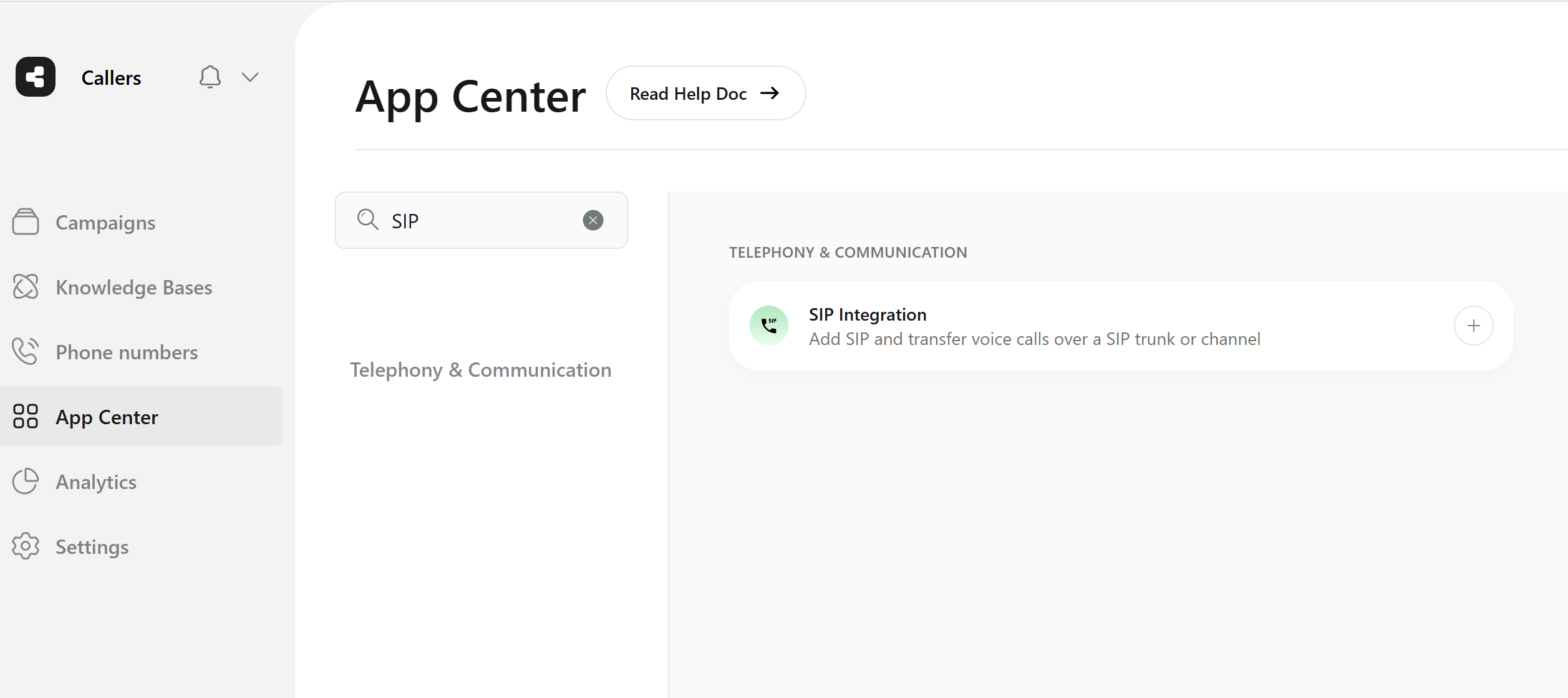
Setup a SIP under Integrations
Step 2: Configure SIP Details
- SIP Name: Enter a descriptive name for this SIP connection
- E.164 syntax: All phone numbers must use the format: [+] [country code] [area code] [number]
- Outbound Authentication Settings:
- Enable if your SIP provider requires authentication
- Username: Your SIP authentication username
- Password: Your SIP authentication password
- Advanced Settings:
- Tech Prefix: Enable if required by your provider
- SIP Diversion Header: Enable for authenticated outgoing calls
- URL: Your SIP provider’s endpoint URL
- Port: Default is 5060 (or as specified by your provider)
- Gateway Configuration: Enable to use the same numbers for both incoming and outgoing calls
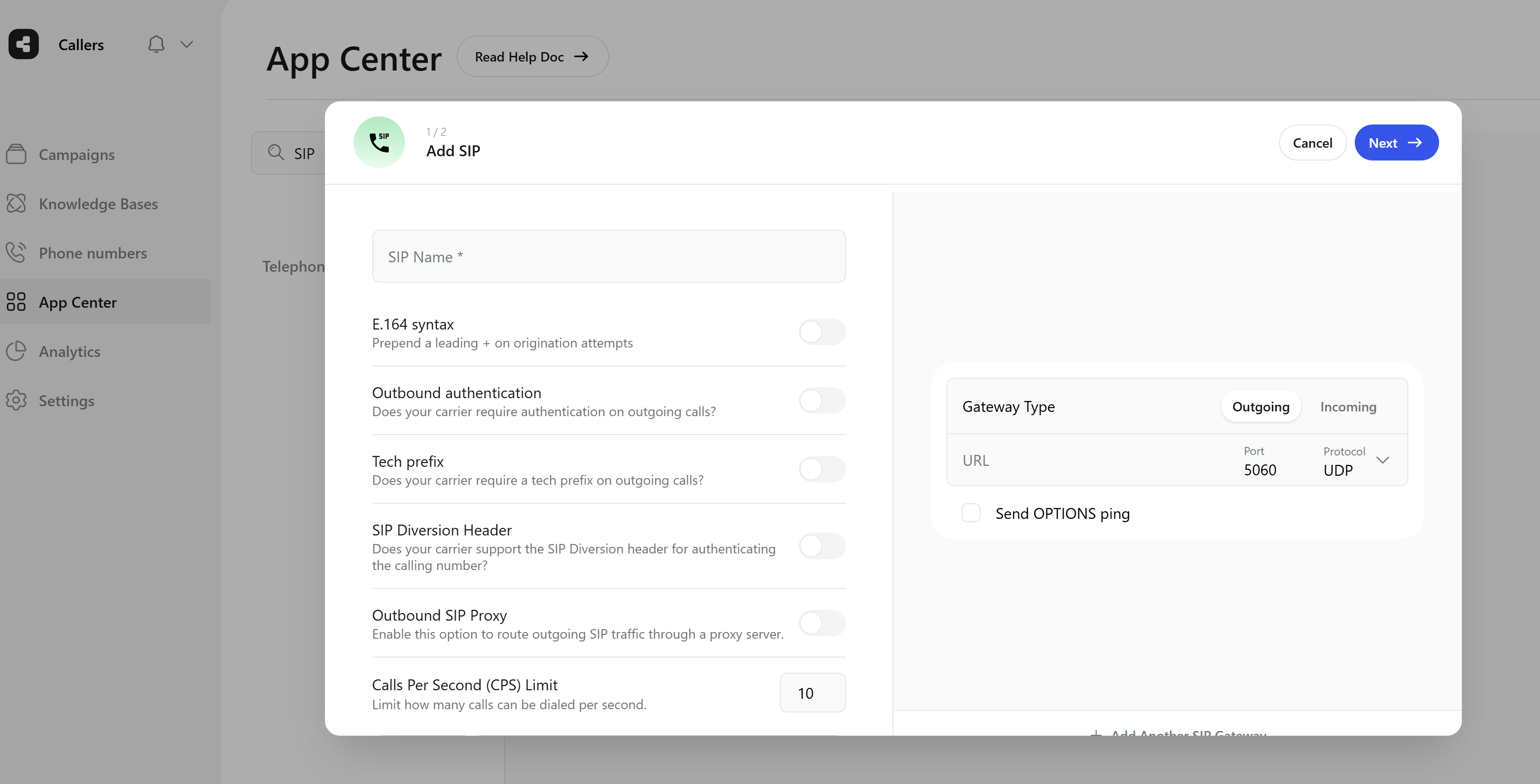
Configure your SIP
Next to proceed.
Step 3: Add Phone Numbers
After the initial setup:- You’ll be prompted to enter your SIP phone numbers
- Alternatively, access the
Phone numberstab and clickAdd SIP Numbersanytime
Multiple SIP Connections
You can set up multiple SIP connections to:- Work with different providers
- Set up redundancy
- Route calls through different providers based on regions or cost
- Go to the Integrations tab
- Click
Connectin the SIP Integration section - Configure the new connection’s details
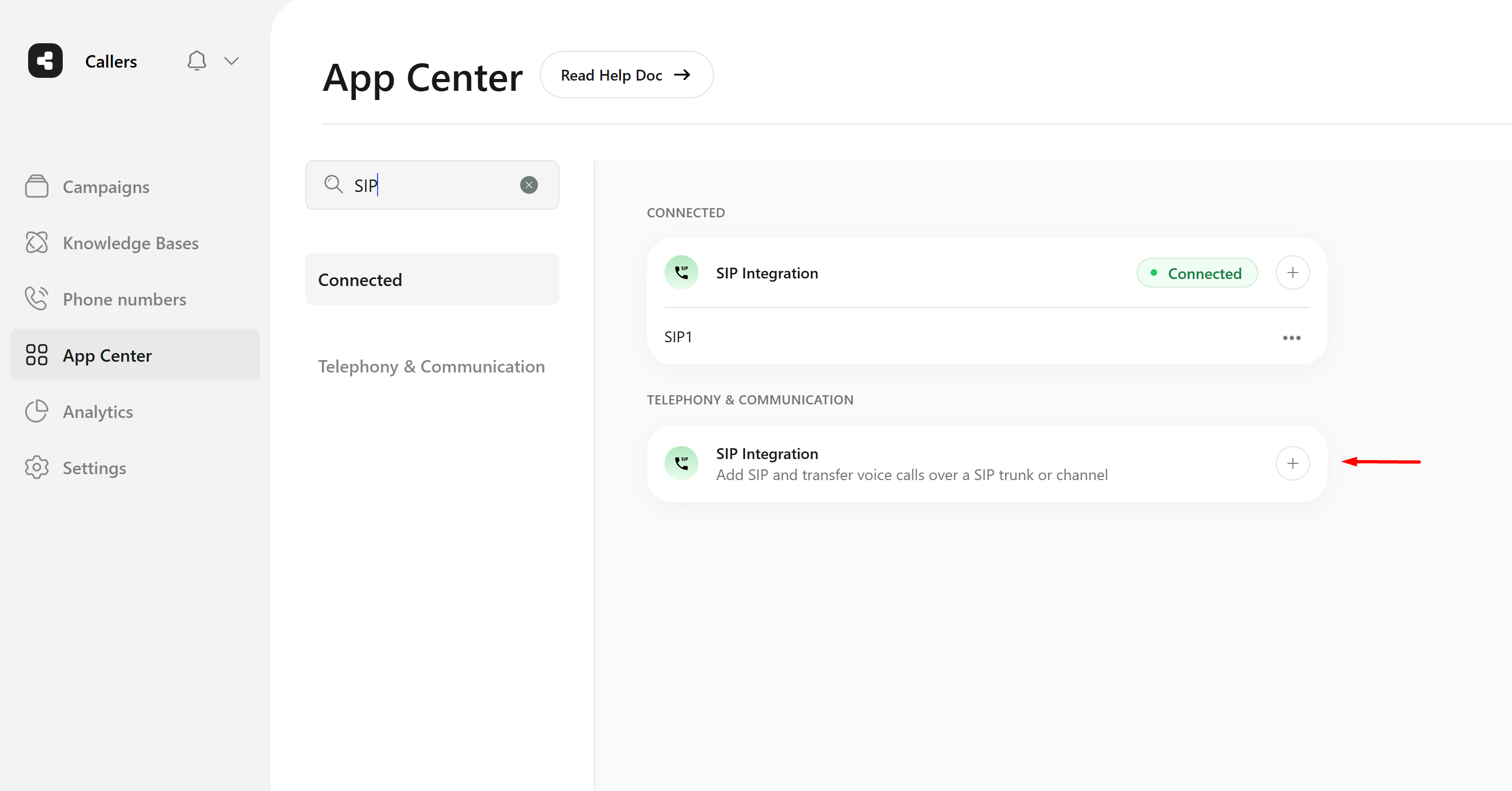
Set up additional SIP connections
Contact Fields in SIP Headers
All contact fields are included in the SIP headers to ensure comprehensive integration and communication. This allows for:- Seamless data transfer
- Complete call handling information
- Proper call routing
- Support for advanced features like call forwarding