> ## Documentation Index
> Fetch the complete documentation index at: https://docs.callers.ai/llms.txt
> Use this file to discover all available pages before exploring further.
# Single Sign-On (SSO)
> Learn how to securely access Callers using Single Sign-On (SSO) with your organization's credentials.
## Overview
Single Sign-On (SSO) allows you to log in to Callers using your existing organizational credentials. This streamlined approach eliminates the need for separate usernames and passwords, leveraging secure, industry-standard authentication protocols managed by your organization.
## Supported SSO Providers
Callers supports all standard Single Sign-On (SSO) protocols and identity providers, including the following commonly used options:
* **SAML 2.0**: A widely adopted standard for secure authentication.
* **OAuth 2.0**: An open framework for authorization.
* **OpenID Connect**: A modern identity layer built on OAuth 2.0.
* **Okta**: A popular identity management service.
* **Auth0**: A flexible, drop-in solution to add authentication and authorization services.
* **Azure Active Directory**: Microsoft's cloud-based identity and access management service.
## Benefits of SSO
1. **Enhanced Security**
* Centralized authentication reduces vulnerabilities.
* Supports multi-factor authentication (MFA).
* Enforces consistent security policies.
2. **Streamlined User Experience**
* Quick, one-click access to Callers.
* No additional credentials to memorize.
* Integrates seamlessly with your workflow.
## Logging In with SSO
 ### First-Time Login
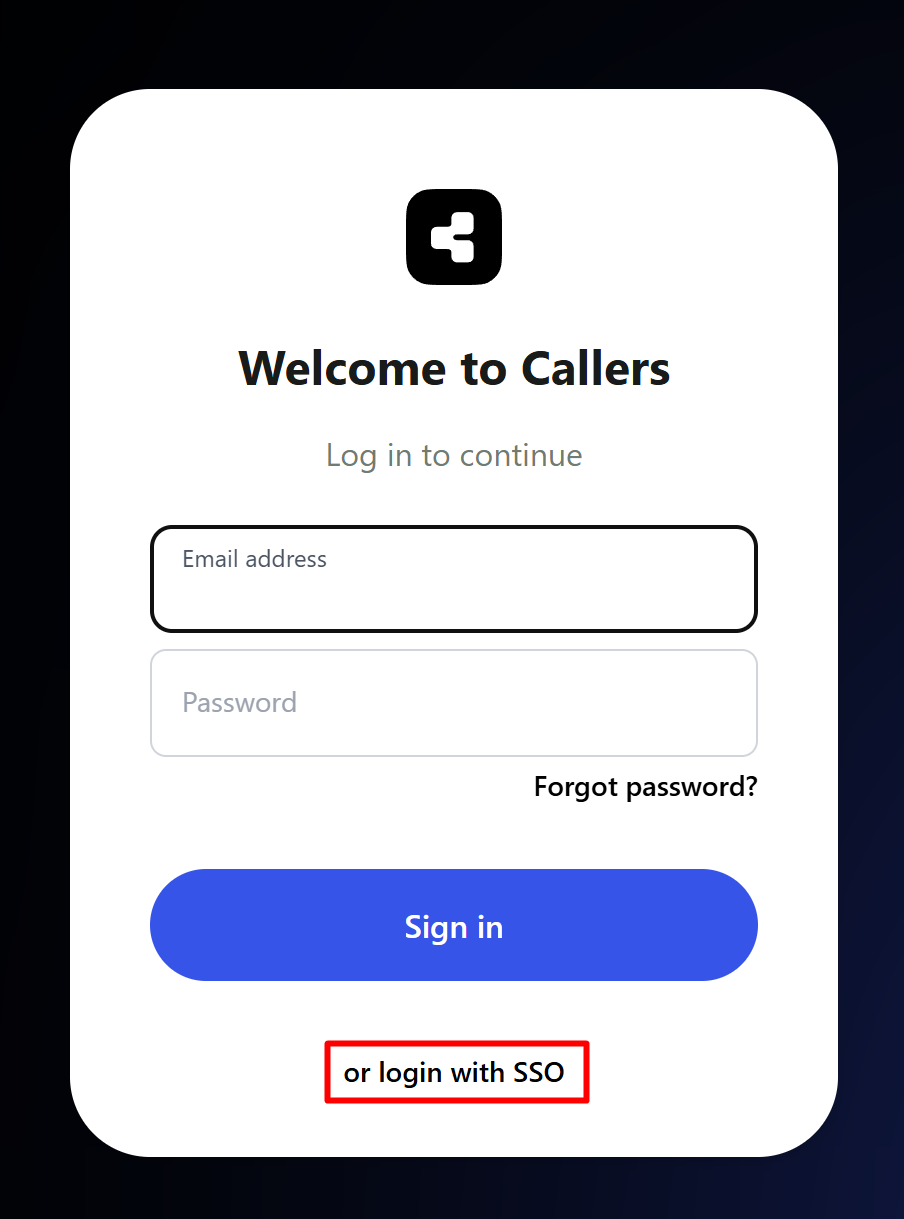
1. On the Callers login page, click **SSO Login**.
2. Select your organization from the list.
3. You'll be redirected to your organization's login page.
4. Enter your organizational credentials.
5. After successful authentication, you'll return to Callers.
### Subsequent Logins
1. Click **SSO Login**.
2. If already signed into your organization's system, you'll be authenticated automatically.
3. If not, enter your credentials when prompted.
## Security Considerations
* All SSO interactions are protected with TLS encryption.
* Session management follows industry best practices.
* Compliant with standards like SOC 2 and GDPR.
## Best Practices
* Always use your organization's official login page.
* Keep your browser updated to the latest version.
* Log out from shared or public devices after use.
## Compliance and Standards
Callers' SSO implementation aligns with:
* SAML 2.0 specifications
* OAuth 2.0 framework
* OpenID Connect protocols
* Industry-recognized security best practices
* Data protection regulations (e.g., GDPR)
### First-Time Login
1. On the Callers login page, click **SSO Login**.
2. Select your organization from the list.
3. You'll be redirected to your organization's login page.
4. Enter your organizational credentials.
5. After successful authentication, you'll return to Callers.
### Subsequent Logins
1. Click **SSO Login**.
2. If already signed into your organization's system, you'll be authenticated automatically.
3. If not, enter your credentials when prompted.
## Security Considerations
* All SSO interactions are protected with TLS encryption.
* Session management follows industry best practices.
* Compliant with standards like SOC 2 and GDPR.
## Best Practices
* Always use your organization's official login page.
* Keep your browser updated to the latest version.
* Log out from shared or public devices after use.
## Compliance and Standards
Callers' SSO implementation aligns with:
* SAML 2.0 specifications
* OAuth 2.0 framework
* OpenID Connect protocols
* Industry-recognized security best practices
* Data protection regulations (e.g., GDPR)