> ## Documentation Index
> Fetch the complete documentation index at: https://docs.callers.ai/llms.txt
> Use this file to discover all available pages before exploring further.
# Generate API Key
> This guide provides step-by-step instructions on how to generate an API key. Follow these steps to create and access your API key.
* Log in to your Callers account.
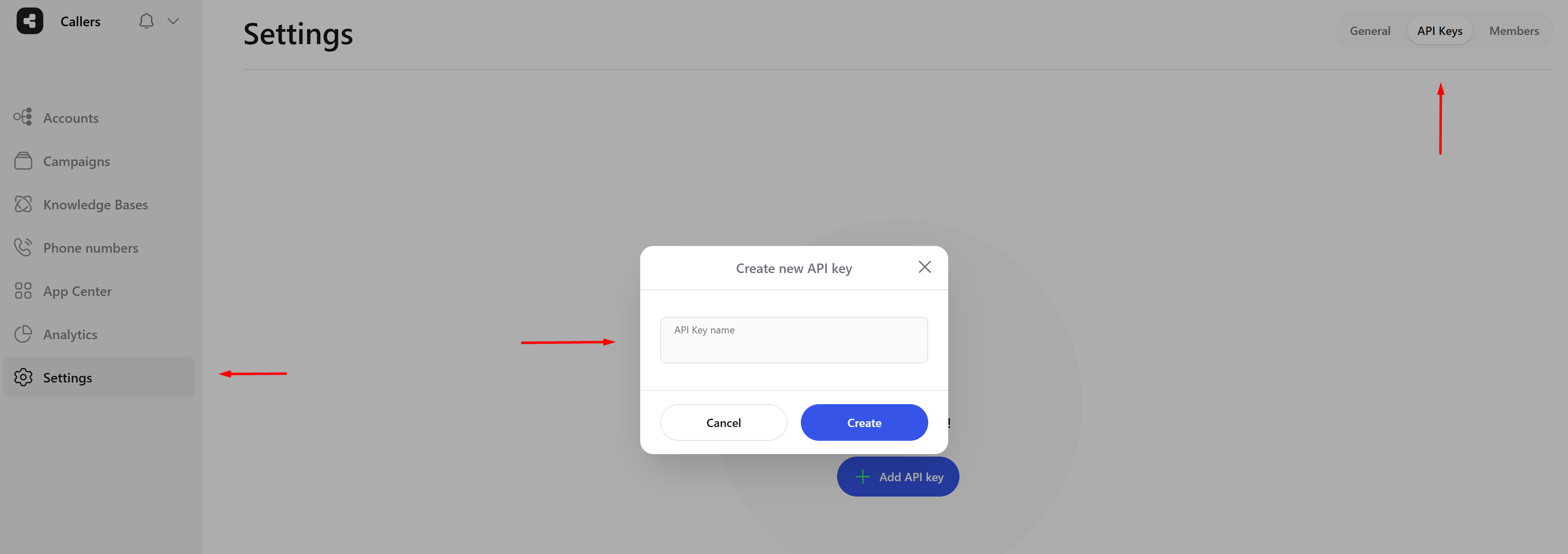
* On the left sidebar of the dashboard, locate and click on the **Settings** tab.
* In the top right corner of the Settings page, select the **API Keys** tab. This will take you to the section where you can manage all your API keys.
* Click the **Add API Key** button in the center of the page. A dialog box will appear prompting you to name your new API key.
* Enter a name for your API key and click **Create** to generate it.
 ### View and Manage API Keys
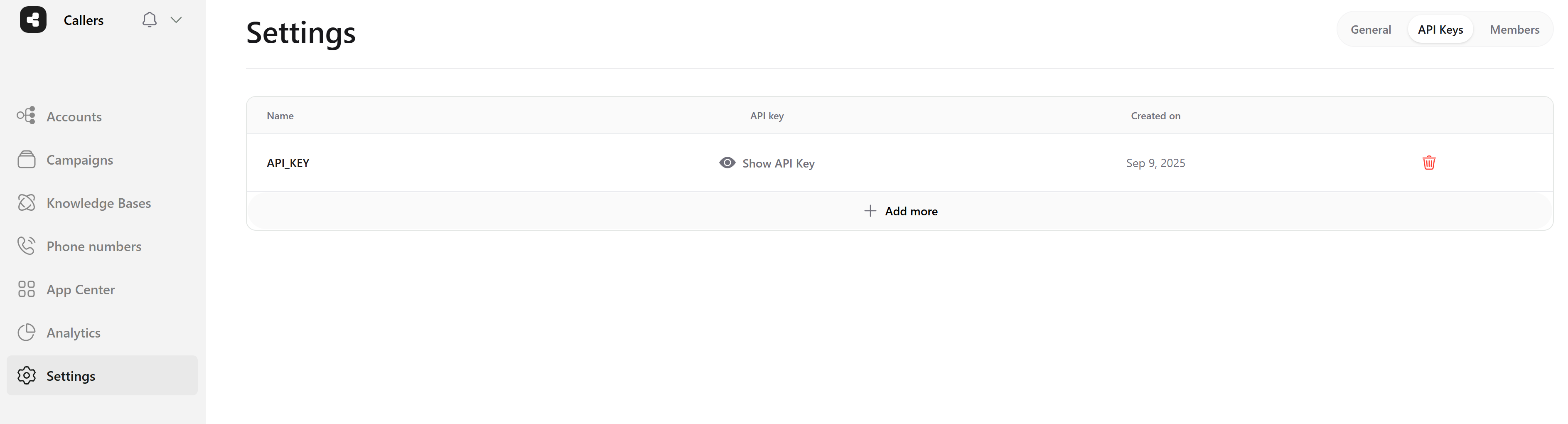
Once your API key is created, it will appear in the list of API keys on the same page.
* Click on **Show API Key** next to the API key you just created. This will display your API key.
* Click the **Copy** button on the right side of the displayed API key to copy it to your clipboard.
* You can also delete an API key by clicking the trash icon next to it.
### View and Manage API Keys
Once your API key is created, it will appear in the list of API keys on the same page.
* Click on **Show API Key** next to the API key you just created. This will display your API key.
* Click the **Copy** button on the right side of the displayed API key to copy it to your clipboard.
* You can also delete an API key by clicking the trash icon next to it.
 To create additional API keys, click **Add API Key** again.
All keys are managed from this same page.
Remember, your API key is a secret - keep it secure!
To create additional API keys, click **Add API Key** again.
All keys are managed from this same page.
Remember, your API key is a secret - keep it secure!