> ## Documentation Index
> Fetch the complete documentation index at: https://docs.callers.ai/llms.txt
> Use this file to discover all available pages before exploring further.
# Analytics
> Gain insights into your organization's calls, statistics, and billing with real-time analytics and detailed reports.
### Overview
* The Analytics module is powered by an enterprise-grade BI tool fully integrated into the Callers platform. This powerful addition gives users access to real-time statistics, performance metrics, and actionable insights; all from a single interface.
Whether you’re tracking campaign effectiveness, monitoring usage patterns, or identifying trends, the analytics dashboard makes it easy to visualize and interpret your data. The result: faster, smarter decision-making for your team.
### Key Capabilities
* **Real-Time Dashboards**: Monitor key metrics across live and historical campaigns with visual dashboards that auto-refresh with new data.
* **Filter & Segment**: Filter data across date ranges, campaigns, users, or call outcomes to refine your reports.
* **Export Reports**: Download charts and datasets in multiple formats for sharing or deeper analysis.
* **Drill-Down Capabilities**: Click into visualizations to explore detailed breakdowns by agent, time, or customer segments.
### Use Cases
* **Campaign Optimization**: Identify which scripts or steps yield the best engagement or conversion rates.
* **Operational Monitoring**: Track assistant usage, call volume, average duration, and abandonment rates.
* **Trend Analysis**: Spot patterns in user behavior or call outcomes over time.
### Getting Started
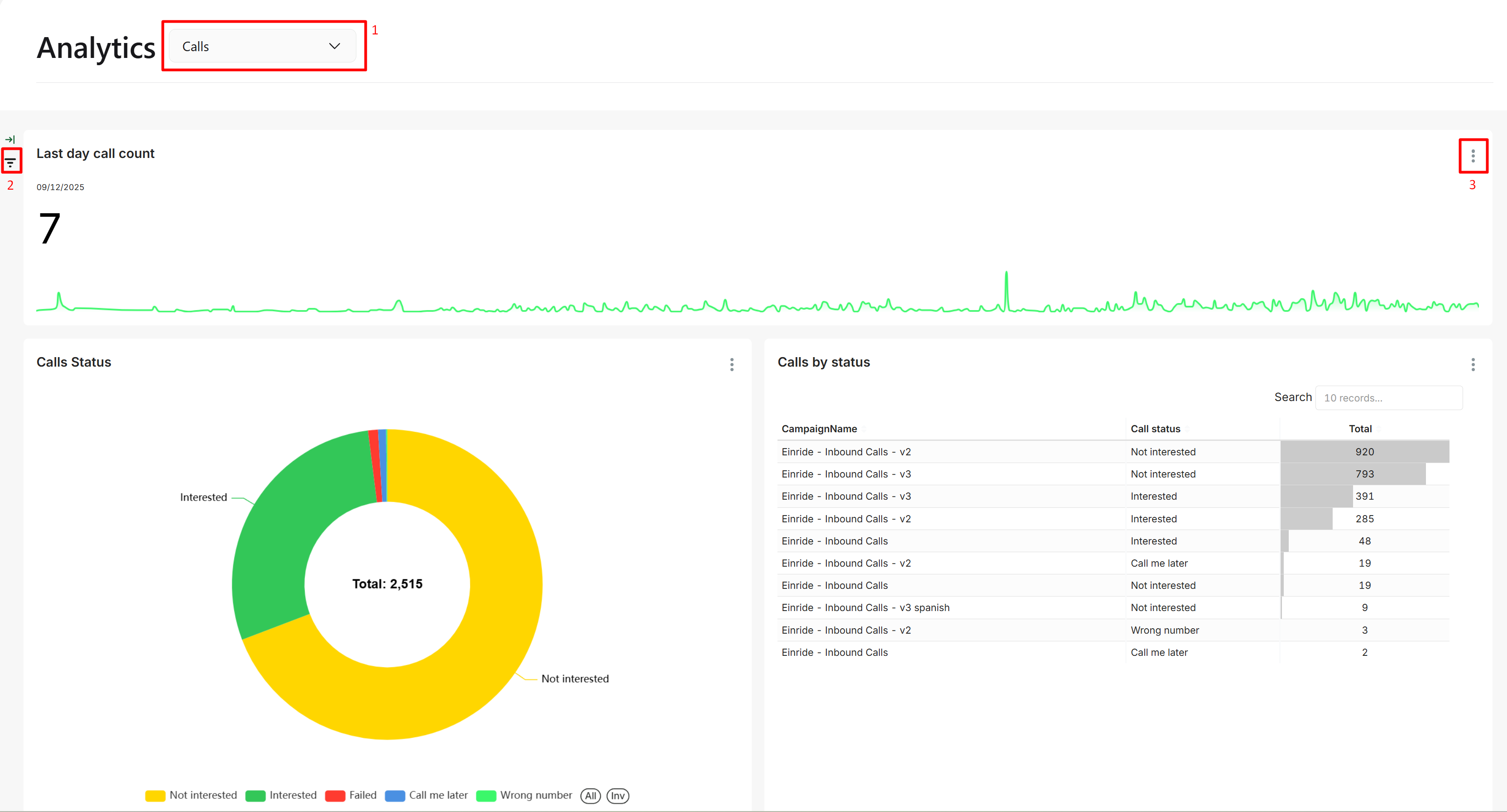
1. Use the dropdown at the top to select a prebuilt dashboard view.
2. Use the filter icons on each chart to adjust the data by time range, campaign, or other dimensions.
3. Click the menu icon `⋮` to download charts as CSV, Excel, or image files for further analysis or reporting.
 Need a specific report that’s not available out-of-the-box? Reach out to our support team to discuss custom dashboard solutions.