> ## Documentation Index
> Fetch the complete documentation index at: https://docs.callers.ai/llms.txt
> Use this file to discover all available pages before exploring further.
# Slack
> Enhance your Callers experience by integrating it with Slack to receive call details directly in your chosen channels. This integration allows you to effortlessly access summaries and key insights from selected call groups, keeping your team informed and connected.
Comming soon ...
{/* * **Navigate to the Integrations Tab:** Sign into your Callers account and go to the "Integrations" tab. */}
{/* */}
{/* */}
{/* */}
{/* */}
{/* To create a new channel, follow the instructions [here](https://slack.com/help/articles/201402297-Create-a-channel). */}
{/* ### Setting your Campaign with the integration */}
{/* * Click on "Edit" to enter the Setup section. */}
{/* */}
{/* */}
{/* */}
{/* */}
{/* Once the call has ended, a Slack message will appear in the selected channel. */}
{/* 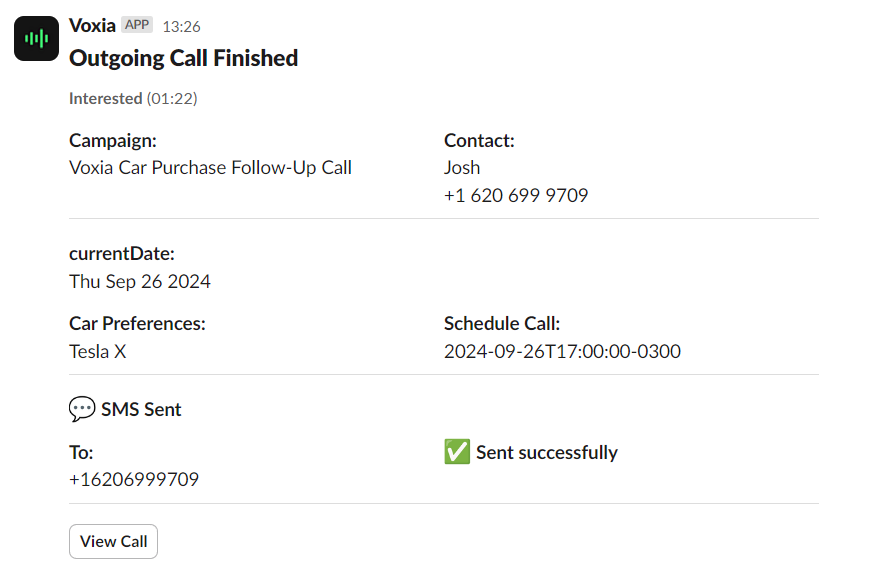 */}
{/* This message can be divided into sections. */}
{/* * You can check the call analysis outcome and total call time. */}
{/* 3. **Contact information** */}
{/* * Every Key Question added to the summary, matching the information you find in Callers. */}
{/* * Any other information depending on the Campaign set up, like SMS sending. */}
{/* */}
{/* */}
*/}
{/* This message can be divided into sections. */}
{/* * You can check the call analysis outcome and total call time. */}
{/* 3. **Contact information** */}
{/* * Every Key Question added to the summary, matching the information you find in Callers. */}
{/* * Any other information depending on the Campaign set up, like SMS sending. */}
{/* */}
{/* */}